
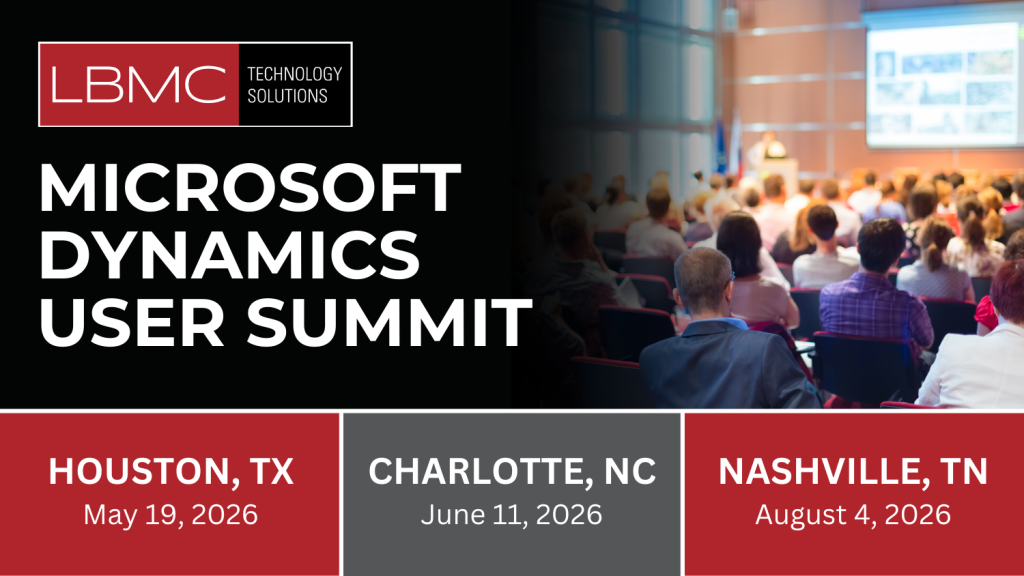
Unlock practical skills and strategies across Microsoft GP, Dynamics 365 Business Central, Microsoft 365/O365, Microsoft Security, Power Platform, and Microsoft Copilot. Join LBMC Technology Solutions for a full day of hands-on Microsoft training, real-world AI use cases, and Microsoft ERP tips designed to help finance, IT, and business users do more—faster and more securely.
Who Should Attend: Finance leaders and controllers, ERP admins, IT/security teams, operations managers, and business analysts seeking Microsoft ERP training, AI productivity, and Microsoft 365 security improvements.
Why Attend the LBMC Microsoft User Summits?
- Expert-led training: Learn from senior consultants and MVP-level practitioners who implement Microsoft solutions every day.
- Actionable AI & Copilot guidance: See how to deploy Copilot securely, build AI‑assisted workflows, and accelerate productivity.
- Microsoft ERP tips for GP & Business Central: Get upgrade paths, optimization checklists, reporting strategies, and integrations that reduce manual work.
- Power Platform in practice: Build low-code apps, automate processes with Power Automate, and measure impact with Power BI.
- Microsoft 365 & Security deep dives: Strengthen governance, compliance, and identity while improving user experience.
- Peer networking: Compare notes with organizations like yours and leave with ready-to-apply templates and best practices.
Event Schedule at a Glance
Each city features expert-led sessions, live demos, and hands-on labs. We will provide all attendees with breakfast and lunch.
- Morning: Keynotes, product roadmaps, and AI/Copilot strategy for secure adoption
- Midday Tracks: Microsoft ERP (GP & Business Central), Power Platform, and Microsoft 365/O365 & Security
- Afternoon: Microsoft tips & features lightning sessions, customer case studies, and guided labs
- Wrap-Up: Ask‑the‑experts roundtable and solution planning clinic
Bring your questions—our consultants will be on hand to discuss and answer any questions you have.
Houston, TX – Microsoft User Summit
Location: Houston, TX – Microsoft Corporate Office 750 Town and Country Blvd Suite #1000
Date: May 19th, 2026, Doors open at 8am
Featured Microsoft Training & Tracks
- Microsoft GP & Business Central: GP roadmap, migration toolkits, BC extensions, dimensions & reporting, financial consolidations, and integration best practices.
- AI & Copilot for Business: Copilot in M365, Copilot for BC, prompt design for business users, security boundaries, and change management.
- Power Platform: App creation patterns, Power Automate RPA for invoice approval & onboarding, governance/policies, and Center of Excellence tips.
- Microsoft 365/O365 & Security: Identity & access, data loss prevention, Defender, conditional access, zero-trust foundations, and admin tips.
Register for the Houston Summit
Charlotte, NC – Microsoft User Summit
Location: Charlotte, NC – AvidXchange Headquarters 1210 AvidXchange Ln
Date: June 11th, 2026, Doors open at 8am
Featured Microsoft Training & Tracks
- Microsoft ERP (GP & Business Central): GP performance tuning, BC budgeting/forecasting, approvals, inventory & projects, and upgrade/migration guidance.
- AI in the Flow of Work: Practical Copilot use cases in Outlook, Teams, Excel, and Word; governance and safe rollout frameworks.
- Power Platform for Scale: ALM basics, solution layering, environment strategy, and analytics with Power BI for department leaders.
- Microsoft 365/O365 & Security: Best practices for collaboration, Teams lifecycle, eDiscovery, insider risk management, and compliance tips.
Register for the Charlotte Summit
Nashville, TN – Microsoft User Summit
Location: Nashville, TN – Noah Liff Opera Center 3622 Redmon St
Date: August 4th, 2026, Doors open at 8am
Featured Microsoft Training & Tracks
- Dynamics GP & Business Central: Close management, multi-entity consolidation, fixed assets, analytics/reporting, and ISV extensions overview.
- AI & Copilot for Finance and Ops: AI-assisted reconciliations, meeting summaries to tasks, Copilot Studio patterns, and secure data access.
- Power Platform in the Real World: Intake apps, approval flows, document automation, and KPI dashboards for executive visibility.
- Microsoft 365/O365 & Security: Endpoint management, secure collaboration, M365 admin tips, and incident response playbooks.
Register for the Nashville Summit
What You’ll Take Away
- Practical Microsoft tips you can implement immediately
- AI & Copilot playbooks for secure, responsible rollout
- ERP roadmaps for GP and Business Central, including migration and optimization steps
- Templates & checklists for Power Platform governance, automation, and analytics
- Security quick wins for identity, data protection, and device management
Who These Microsoft User Summits Are For
- Finance leaders, controllers, and accounting managers using GP or Business Central
- IT directors, Microsoft 365 administrators, and security teams
- Operations leaders and project managers improving processes with Power Platform
- Business analysts and super users seeking Microsoft training and feature tips
- Organizations planning AI and Copilot adoption with compliance in mind
Frequently Asked Questions
Is this a technical or business-focused event?
Both. Tracks are tailored for finance, IT/security, and business users with hands-on labs and real-world examples.
Do I need prior AI or Power Platform experience?
No. Sessions include beginner through advanced content, plus guided build-alongs and templates.
Can I bring my team?
Absolutely. Group attendance maximizes adoption and alignment across ERP, security, and automation. For large group pricing contact LBMC Technology Solutions.
Will I receive session materials?
Yes. Registered attendees receive slides, checklists, and downloadable Microsoft tips resources.
Register Now
Seats are limited to maintain an interactive, hands-on training experience.
Choose your city and reserve your spot: