
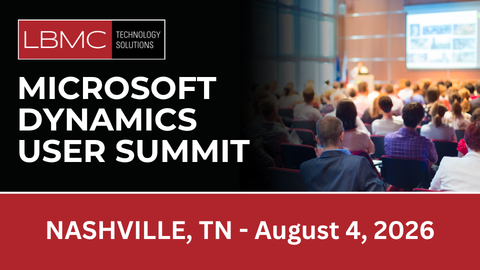
Unlock practical skills and strategies across Microsoft GP, Dynamics 365 Business Central, Microsoft 365/O365, Microsoft Security, and Microsoft Copilot. Join LBMC Technology Solutions for a full day of hands-on Microsoft training, real-world AI use cases, and Microsoft ERP tips designed to help finance, IT, and business users do more—faster and more securely.
Who Should Attend: Finance leaders and controllers, ERP admins, IT/security teams, operations managers, and business analysts seeking Microsoft ERP training, AI productivity, and Microsoft 365 security improvements.
Why Attend the LBMC Microsoft User Summits?
- Expert-led training: Learn from senior consultants and MVP-level practitioners who implement Microsoft solutions every day.
- Actionable AI & Copilot guidance: See how to deploy Copilot securely, build AI‑assisted workflows, and accelerate productivity.
- Microsoft ERP tips for GP & Business Central: Get upgrade paths, optimization checklists, reporting strategies, and integrations that reduce manual work.
- Microsoft 365 & Security deep dives: Strengthen governance, compliance, and identity while improving user experience.
- Peer networking: Compare notes with organizations like yours and leave with ready-to-apply templates and best practices.
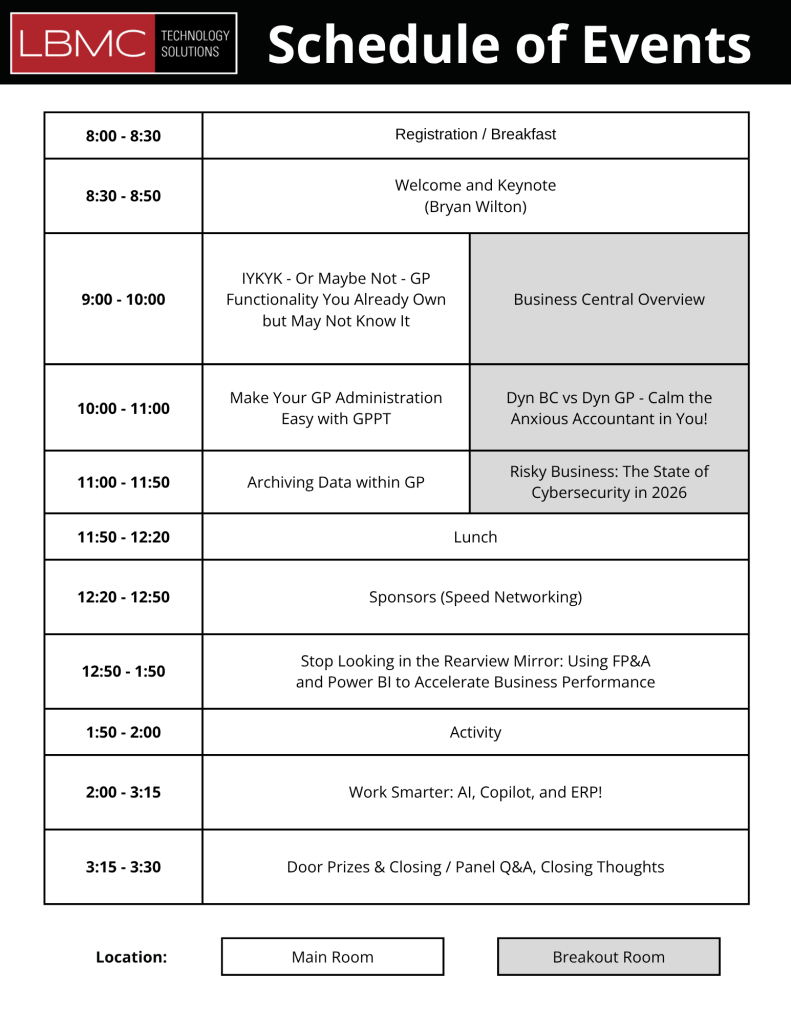
Event Schedule at a Glance
Attendees will benefit from a blend of strategic guidance and practical learning, including live product demonstrations and interactive, hands‑on labs designed to showcase real‑world use cases and best practices. To ensure a comfortable and engaging experience, breakfast and lunch will be provided for all attendees.
- Morning Sessions
The day will begin with a warm welcome and keynote presentation, setting the stage for what’s ahead.
- Midday Breakout Tracks
In the midday sessions, attendees can choose between specialized tracks tailored to their interests and roles.
- Afternoon Sessions
The afternoon will focus on future planning and decision‑making.
- Wrap‑Up
The day will conclude with an interactive Ask‑the‑Experts roundtable, giving attendees the opportunity to engage directly with consultants and subject matter experts, followed by a closing keynote address that ties together the day’s themes and takeaways.
Bring your questions—our consultants will be on hand to discuss and answer any questions you have.
Nashville, TN Summit August 4th, 2026
Nashville, TN – Microsoft User Summit
Location: AC Hotel Nashville Brentwood – 5007 Maryland Way, Brentwood, TN 37027
Date: August 4th, 2026, Doors open at 8am
Featured Microsoft Training & Tracks
- Dynamics GP & Business Central: Close management, multi-entity consolidation, fixed assets, analytics/reporting, and ISV extensions overview.
- AI & Copilot for Finance and Ops: AI-assisted reconciliations, meeting summaries to tasks, Copilot Studio patterns, and secure data access.
- Microsoft 365/O365 & Security: Endpoint management, secure collaboration, M365 admin tips, and incident response playbooks.
Register for the Nashville Summit
What You’ll Take Away
- Practical Microsoft tips you can implement immediately
- AI & Copilot playbooks for secure, responsible rollout
- ERP roadmaps for GP and Business Central, including migration and optimization steps
- Templates & checklists for governance, automation, and analytics
- Security quick wins for identity, data protection, and device management
Who These Microsoft User Summits Are For
- Finance leaders, controllers, and accounting managers using GP or Business Central
- IT directors, Microsoft 365 administrators, and security teams
- Operations leaders and project managers improving processes
- Business analysts and super users seeking Microsoft training and feature tips
- Organizations planning AI and Copilot adoption with compliance in mind
Frequently Asked Questions
Is this a technical or business-focused event?
Both. Tracks are tailored for finance, IT/security, and business users with hands-on labs and real-world examples.
Do I need prior AI experience?
No. Sessions include beginner through advanced content, plus guided build-alongs and templates.
Can I bring my team?
Absolutely. Group attendance maximizes adoption and alignment across ERP, security, and automation. For large group pricing contact LBMC Technology Solutions.
Will I receive session materials?
Yes. Registered attendees receive slides, checklists, and downloadable Microsoft tips resources.
Register Now
Seats are limited to maintain an interactive, hands-on training experience.
Reserve your spot: